myitlaB Tips & TRicks
MINF2201: Microcomputer Applications
Professor Schmidt's MIS/CS courses
***
WEBSITE LINKS

***
COURSE LINKS





Be Sure to Review Your Online Support Options for this Course!
GRADE TABS
-
GRADES: Displays Points Earned to Date and Extra Credit Points for the Semester.
-
CUSTOM VIEW: Individually Displays each Graded Assignment for the Semester.
PAST DUE ASSIGNMENTS
-
Completed assignments showing up as past due? This is really not an issue. As long as you see your earned grade accurately displayed on the Grades Tab you are fine. However, if you do not want assignments showing under past due then you will need to utilize all of the allowed attempts on the assignment. If you obtain a desirable grade without using all of the attempts simply open and submit the assignment until all attempts are exhausted. You will no longer have access to rework the assignment in an attempt to earn a higher score, but the lab is set to keep your highest score and the assignment will not show under past due even after the due date.
-
If you have attempts remaining you may work an assignment past it's due date. This is beneficial for missed assignments that may have concepts that a student needs to practice. Any points earned will not be counted as the assignment deadline has passed.
FILE SAYS 'READ ONLY'
-
Completed your project but it says it is read only? Use the 'SAVE AS' Option, Rename the file, and Save in the Desired Location. Naming the file something different (WChapter1GraderProjectFINALbschmidt) is absolutely acceptable.
-
In the Future - Use the 'Save As' Option prior to beginning your assignment to prevent the possible loss of all your hard work!
TROUBLE FINDING FILES YOU NEED
-
TRAINER EXAMS/HW'S: DO NOT require files. These are done through the cloud in a simulated environment and any file referenced in a question will just 'be there' when you correctly click to complete the step. Watch the Learning Aid Video for the step in question and do as it does and the video will just be there.
-
GRADER PROJECTS: DO require downloaded files. When you open the assignment there are 3 visible steps to completion. The files are downloaded in Step 1. Take a look at the Grader Project Download/Upload link on the MINF 2201 homepage of my website for visuals and instructions. Be sure to manage files in an organized manner.
TROUBLE UPLOADING COMPLETED PROJECT FILE
-
Most likely your session timed out while you were working. Shut down your browser, reopen and log back into the lab. Then upload your file.
SIMULATION SOFTWARE BEING PARTICULAR?
-
There are always multiple ways to perform an action but at different times only a handful of ways are accepted as the software teaches multiple ways to perform various actions. In the future, when reviewing submissions from your HW or previous Exam attempt there is a list of acceptable ways to perform each step provided in the ‘Method to Complete’ column.
-
Software by nature is tedious and particular. You are using a software program to learn a different software. There are bound to be issues and an adjustment period. Please allow adequate time to perform the assignments and adjust to the functionality on your particular machine.
-
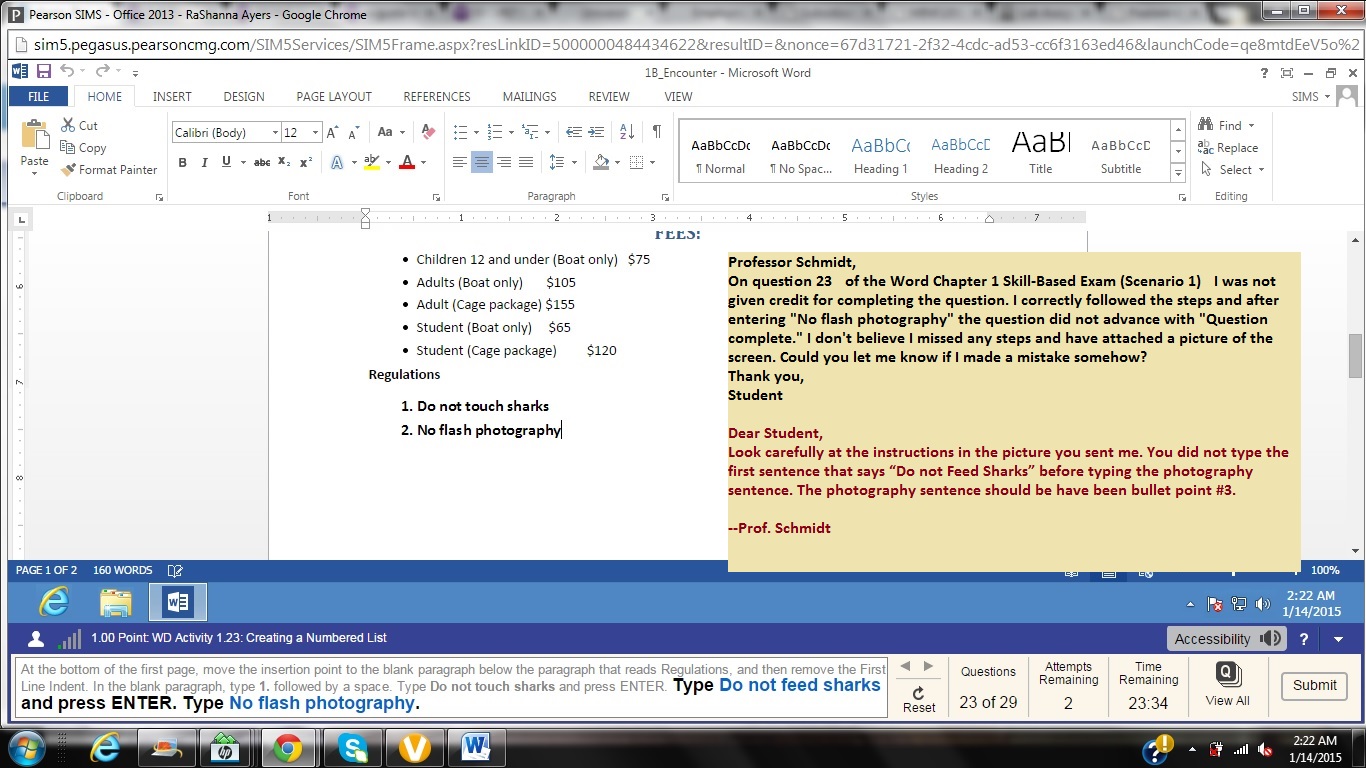
Occasionally the software is at fault. However, most of the time the error is user related. Be intentional, review your steps paying close attention to detail in the instructions and your actions, record your screen (as indicated at top of this webpage) and email the professor if all else fails! Click Here for Example
FAQ'S
Will NOT Doing the Trainer HW Affect My Grade?
-
Yes and No. The trainer HWs are not required and do not affect your overall course points either way. However, they are highly recommended as they have proven to increase performance on the Exams and Grader Projects - especially as the assignments become more difficult.
I Believe Points were Taken Off of My Exam/Project Incorrectly. What do I do?
-
First, Review Your Submissions and see if you can determine your error or if you still believe you were incorrectly graded. Information on how to review submissions is available in various Lab Announcements and on the Review Submissions link of the MINF2201 homepage of my website.
-
Second, If you still believe there is an error, and it is before the deadline make the correction and resubmit. If it is after the deadline, please email me with the assignment name and question number that you believe are incorrect. I will review them and respond.